From 40 minutes to 2: how vTag summarizes YouTube videos
A look inside the pipeline that turns long tech videos into short summaries, and the quality gate that stops a failed summary from ever reaching your inbox.

The vTag Team
5 min read
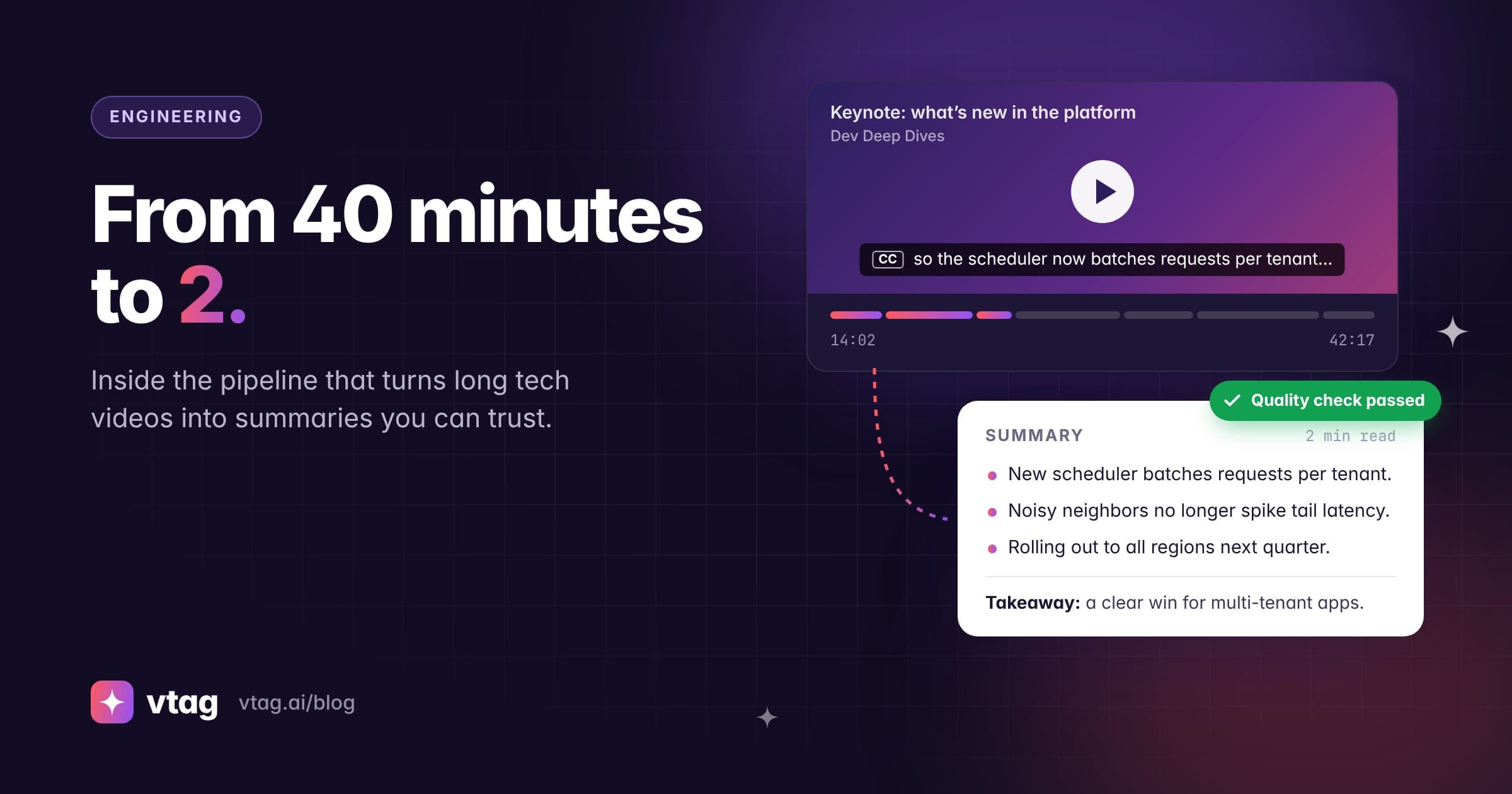
A summary is only useful if you can trust it. If one in ten summaries in your inbox is wrong, garbled or empty, you stop reading all of them, and the newsletter has failed at its one job.
So most of the work behind vTag isn't in the summarizing. It's in deciding when a summary is good enough to show you, and what to do when it isn't. This post walks through the whole pipeline, from a new upload on YouTube to the two-minute read in your inbox, and the rules we added after learning the hard way what a failed summary looks like.
1. Finding new videos
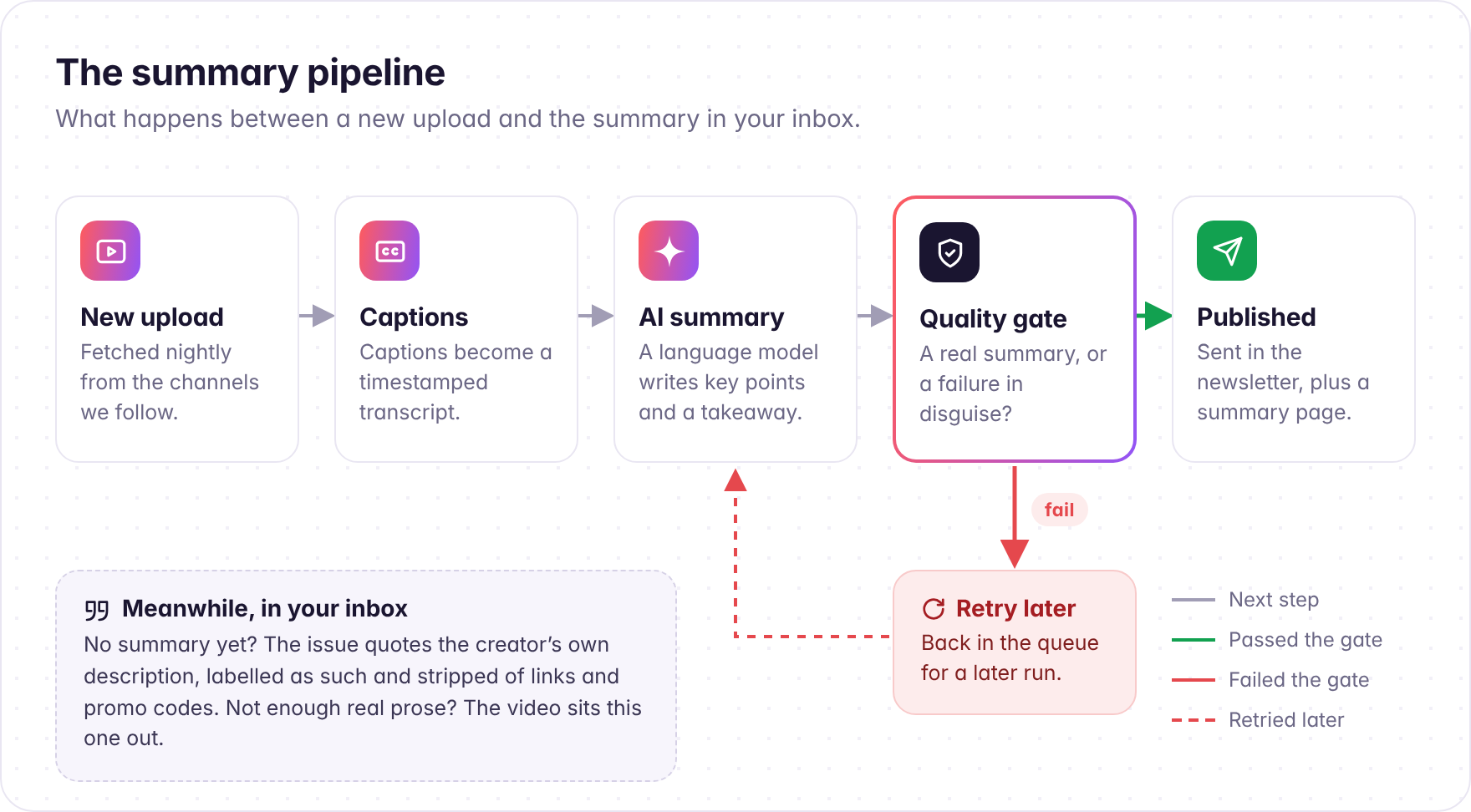
Every night, a job walks the upload playlists of the channels we follow and asks the YouTube Data API what's new. For each new video we save its metadata: the title, the channel, YouTube's category, the creator's description and the thumbnails. At this point the video has no summary. It's just a promising entry in the queue.
As soon as the fetch finishes, it hands the batch it just saved straight to the summarizer, so new videos don't sit waiting for some other job to notice them.
2. From video to text
Language models don't watch videos. They read. So the next step is to get the words out of the video, and the most faithful source for that is the video's own captions. We turn them into a timestamped transcript, one line per caption.
Some videos have no usable captions: music-only clips, very short teasers, uploads with captions turned off. When the transcript comes back with almost nothing in it, we stop there and record a failure rather than asking a model to summarize thin air. A model handed nothing will still produce something, and that something is exactly what we never want to send.
3. Writing the summary
The transcript then goes to a language model with one job: explain the main topic, pull out the key points and finish with a short takeaway. That structure is what lets you choose your summary length in your preferences. Full summary gives you everything. Short summary gives you only the takeaway.
The summarizer works newest-first, in small batches, with a fixed ceiling on how many batches it runs per night. That keeps the cost predictable. Today's keynote gets summarized before a backlog video from last spring does, and a sudden flood of uploads can't run up an unbounded bill.
4. The quality gate
This is the part we care about most. A summarizer can fail in ways that look like success, and the dangerous failures are the ones that sail through a naive "is the field filled in?" check.
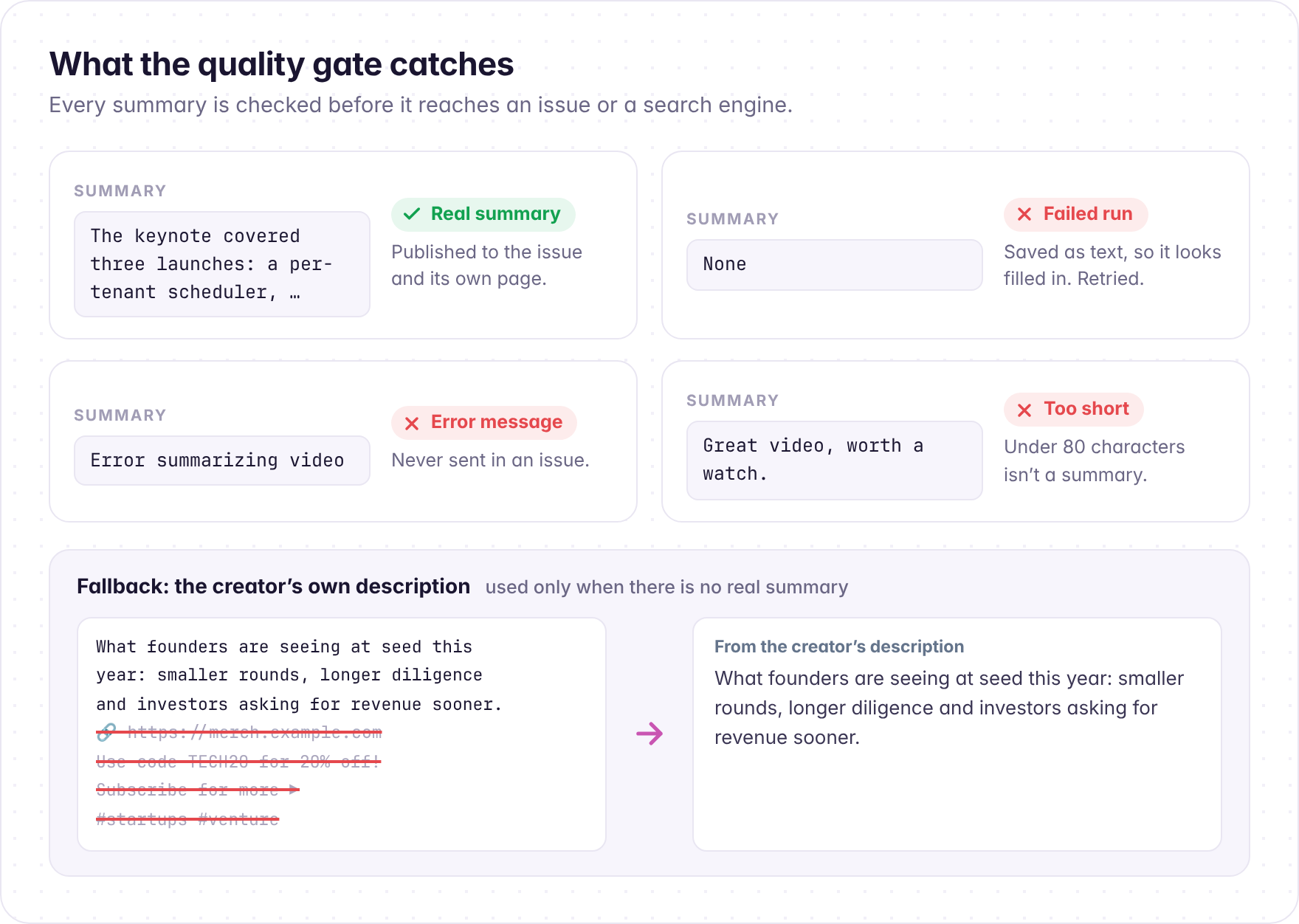
Here's what the gate catches:
- A failure saved as text. When a summarization run fails, the worker can store the literal word None in the summary field. To a database, that's a filled-in field. To a reader, it's nonsense. We treat None (along with null and n/a) as missing, and those videos go back in the queue for a later run.
- Error messages. Text like "Error summarizing video" or "Summary unavailable" never makes it into an issue.
- Anything too short to be a summary. A real summary of a real video is more than a sentence fragment, so anything under 80 characters is rejected.
One rule, everywhere
The most important design decision here is a boring one: there is exactly one function that answers "does this video have a real summary?", and everything that cares about the answer calls it.
The newsletter uses it to decide what goes into your issue. Each video's public summary page uses it to decide whether search engines should index that page. The sitemap uses it to decide which pages to list. If those three ever disagreed, we'd get the worst of both worlds: a sitemap advertising pages that tell search engines to ignore them, or a newsletter linking to pages full of placeholder text. Sharing one rule makes that kind of drift impossible.
It's also why we don't index every video we know about. A page for a video without a real summary would look like thousands of other near-identical pages. That's no use to you, and it's exactly the kind of thin content search engines penalize.
When there's no summary yet
New videos sometimes reach a newsletter before their summary does. Rather than leave a gap, the issue can quote the creator's own description of the video, with some strict conditions:
- It's clearly labelled From the creator's description, so you always know whose words you're reading.
- Links, discount codes, affiliate disclaimers, hashtags and "subscribe for more" lines are stripped out first.
- What's left has to be real prose, at least 80 characters and a dozen words. If the description is all links and promotion, the video simply sits this issue out.
- The excerpt is only ever used in the newsletter. It's never saved as the video's summary, so it can't be mistaken for one later.
The small things that bit us
A few lessons that aren't obvious until you hit them:
- Summaries are stored in chunks. Our document store limits how long a single indexed text field can be, so long transcripts and summaries are split into chunks and joined back together on read. Every reader has to join them. One early bug read the field directly and showed "Summary unavailable" in the mailed newsletter while the admin preview looked perfect.
- Chunk by bytes, not characters. The storage limit is measured in UTF-8 bytes. A chunker that counts JavaScript characters works fine on English and quietly overflows on emoji or non-Latin scripts. Ours counts bytes.
- A failed run must fail loudly. If the summarizer is misconfigured, it stops immediately with an error. A job that "completes" having summarized nothing is how problems go unnoticed for weeks.
The principle
All of this comes down to one rule we hold ourselves to: we'd rather send you nine good summaries than ten where one of them is the word None. Speed matters and coverage matters, but trust matters more, because once a newsletter loses it, the next issue goes straight to the archive folder.
If you want to see the result, subscribe below or browse the video library. And if you spot a summary that got something wrong, tell us. That's exactly the kind of failure we want to hear about.